

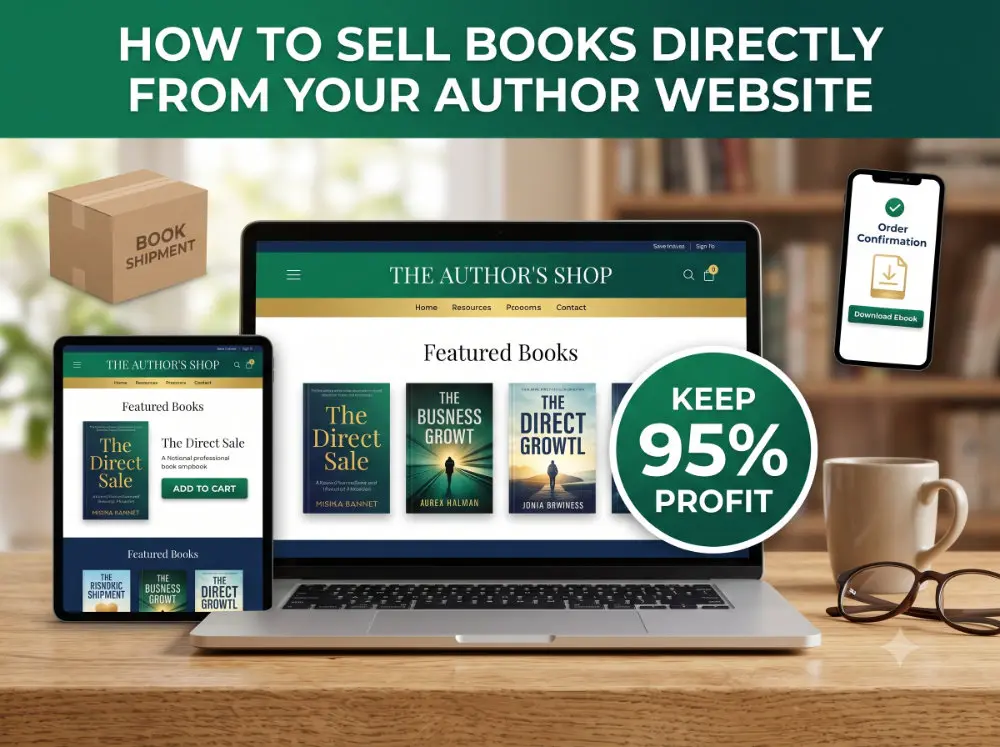
TL;DR: You can sell books on your website using WordPress and a free eCommerce plugin like WooCommerce. Add a payment processor, connect a print-on-demand service for paperbacks, and you have a bookstore you fully control. You keep 90–95% of every sale instead of 35–70% through Amazon.
📈 Why Authors Are Going Direct
Here’s a number that should get your attention.
According to Written Word Media’s 2025 Indie Author Survey, 30% of indie authors now sell books directly to readers. Another 30% plan to start within the next 12 months. That’s not a trend. That’s a shift.
The reason is simple. When you sell through Amazon, you’re giving up 30–65% of every sale. You don’t get the customer’s email address. You don’t know who bought your book. And Amazon recommends your competitors right next to your listing.
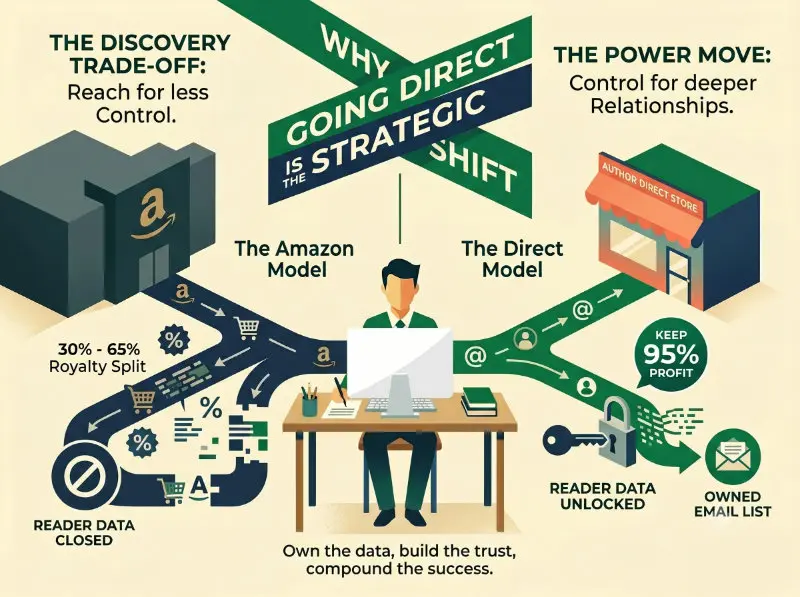
When you sell from your own website, you keep 90–95% after payment processing. You get the reader’s name and email. You control what they see next: your other books, your email signup, your next launch.
We covered the “why” in depth in our article on why every author needs a website. This article is about the “how.”
🛠️ What You Need to Sell Books From Your Website
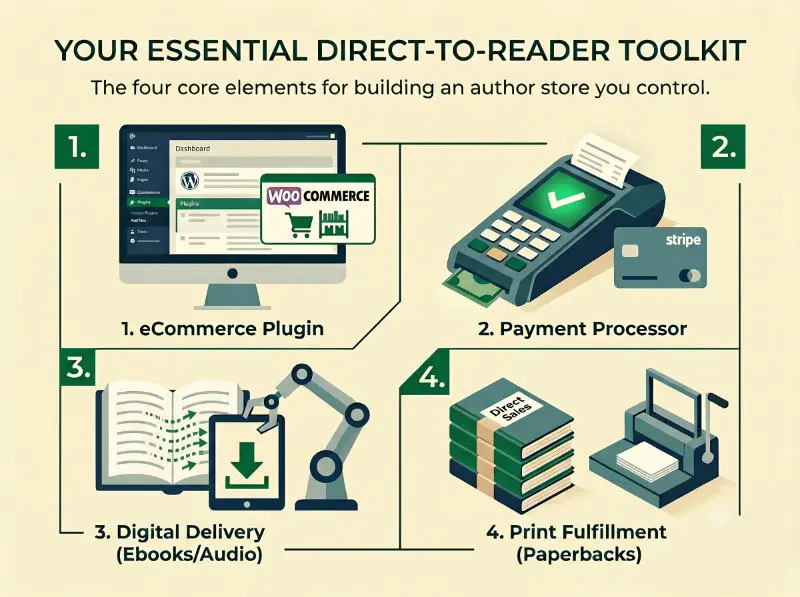
Here’s the thing: the setup is simpler than most authors think. You need four pieces, and most of them are free.
1. An eCommerce Plugin
If your website runs on WordPress, WooCommerce is the standard. It’s free, it’s battle-tested, and it is one of the most widely used store platforms in the world.
WooCommerce lets you:
- 📚 List physical books, ebooks, and audiobooks as products
- 💳 Accept credit card payments
- 📦 Manage orders and inventory
- 🎁 Create discount codes and bundle deals
- 📊 Track sales and revenue from your WordPress dashboard
Another solid option is SureCart, which is lighter and easier to set up if you’re only selling a handful of products. For most authors, either one works.
The important thing: you don’t need a separate Shopify store or a third-party platform. Your author website IS your store.
2. A Payment Processor
You need a way to accept credit cards. Stripe is the go-to for most WordPress stores. It takes about 10 minutes to set up, and it charges 2.9% + $0.30 per transaction.
That’s it. No monthly fees. No contracts. You get paid directly to your bank account.
PayPal is another option if your readers prefer it. Most eCommerce plugins support both.
3. Digital Delivery (For Ebooks)
If you’re selling ebooks or audiobooks, you need a way to deliver the files after purchase. WooCommerce handles this natively: the reader pays, and the download link appears automatically.
For a more polished experience, plugins like BookFunnel can deliver your ebook directly to the reader’s Kindle, Kobo, or reading app. BookFunnel is popular in the indie author community specifically because it solves the “how do I get this onto my device” problem that kills ebook direct sales.
4. Print Fulfillment (For Paperbacks)
You don’t need to store boxes of books in your garage.
Print-on-demand (POD) services print and ship each book only when a reader orders it. You never touch inventory. Two services built specifically for author direct sales:
- 📚 Lulu Direct: Integrates with WooCommerce and Shopify. When a reader orders a paperback on your website, Lulu prints it and ships it directly to them. You set the retail price and keep the margin.
- 📚 BookVault: Similar model, strong in the UK and Europe. Growing fast in the US market.
The reader experience is smooth from start to finish. They buy from YOUR website, and a professionally printed book arrives at their door. They never know a third party handled fulfillment.
🏪 How to Set Up Your Author Book Store
Here’s what the process looks like from start to finish:
Step 1: Install WooCommerce on your WordPress site. It’s a free plugin. Takes five minutes.
Step 2: Connect Stripe as your payment processor. Follow the setup wizard. Another 10 minutes.
Step 3: Create your products. Add each book as a WooCommerce product. Upload your cover image, write a compelling description, set the price. For ebooks, upload the file. For paperbacks, connect your POD service.
Step 4: Build your store page. This is where design matters. Your book store page should feel like a well-organized bookshelf, not a generic product catalog. Show your covers prominently. Include short descriptions that hook the reader, not marketing speak.
Step 5: Add a checkout flow. WooCommerce includes a built-in cart and checkout. Keep it simple. The fewer clicks between “I want this” and “I bought this,” the better.
Step 6: Test everything. Place a test order. Make sure the ebook downloads correctly. Make sure the confirmation email looks professional. Make sure the experience feels like YOU, not like a random online store.
🎨 Want a book store page that matches your author brand? We design genre-specific author websites with built-in store pages that look polished and professional. See our author website design services →
🤝 What About Amazon?
Let me be straight with you: this is not an “either/or” decision.
Amazon is the largest book marketplace in the world. Leaving it entirely would mean walking away from the biggest reader pool that exists. That doesn’t make sense for most authors.
The smart approach is both/and:
- 📚 Keep your books on Amazon for discoverability and reach
- 📚 Sell direct from your website for higher margins and reader relationships
- 📚 Use your website to drive readers toward direct purchases when possible
- 📚 Use Amazon for readers who find you through search and browse
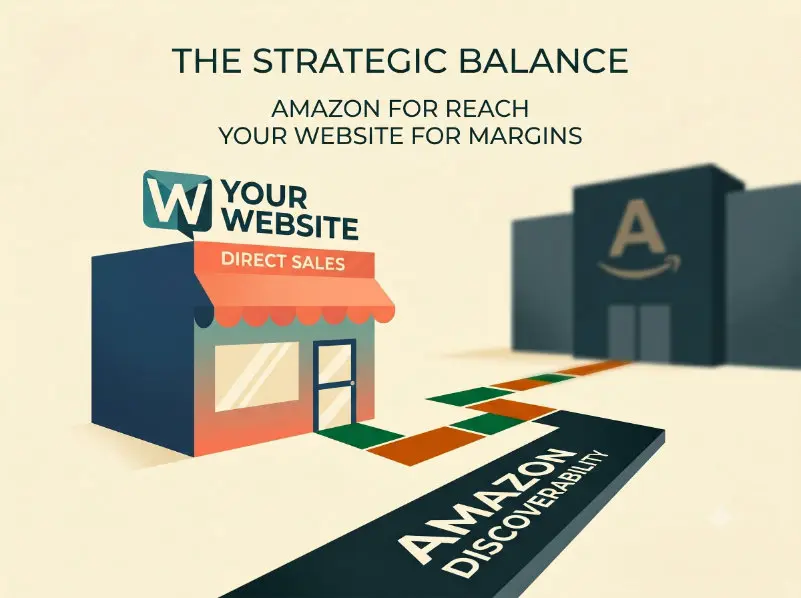
Think of Amazon as your storefront in the mall. Your website is your own shop on Main Street. The mall brings foot traffic. Your shop builds loyalty.
Over time, as your direct audience grows, the balance shifts in your favor. Many authors who’ve been selling direct for two or more years report that it’s become a significant share of their total revenue, and that percentage keeps climbing.
📧 The Real Power Move: Direct Sales + Your Email List
Here’s where selling from your website becomes more than just “better margins.”
Every direct sale gives you something Amazon never will: the reader’s email address.
That means after someone buys Book 1, you can:
- 📚 Email them when Book 2 launches (no algorithm required)
- 📚 Offer a bundle deal on your backlist
- 📚 Invite them to your launch team or street team
- 📚 Send them a free short story or bonus chapter as a thank-you
- 📚 Build an actual relationship with the person who bought your book
This is the compounding engine. Direct sale leads to email signup. Email builds trust. Trust leads to repeat purchases. Repeat purchases fund your next book.
If you haven’t built your email list yet, start with our guide on email marketing for authors. If you’re looking for the tools to make it happen without expensive subscriptions, check out our breakdown of free WordPress tools for self-published authors.
📋 Here’s What We Covered
- ✅ 30% of indie authors already sell direct, and another 30% plan to start soon
- ✅ You need four things: an eCommerce plugin, a payment processor, digital delivery, and print fulfillment
- ✅ WooCommerce + Stripe is the most common WordPress setup (both free to start)
- ✅ Print-on-demand services like Lulu Direct handle paperback fulfillment without inventory
- ✅ Keep Amazon for discoverability, use your website for margins and relationships
- ✅ Every direct sale gives you the reader’s email, which is the real long-term asset
❓ FAQ
How much does it cost to start selling books from my website?
If you already have a WordPress website, the additional cost is close to zero. WooCommerce is free. Stripe charges 2.9% + $0.30 per transaction (only when you make a sale). BookFunnel starts at $30 a year for ebook delivery. The only ongoing cost is your existing hosting. You don’t need a separate eCommerce subscription.
Can I sell signed copies from my website?
Absolutely. This is one of the biggest advantages of selling direct. Create a “Signed Edition” product in WooCommerce, price it at a premium, and handle fulfillment yourself. Readers love signed copies, and they’re willing to pay more for them. This is something Amazon can never offer.
Will selling direct hurt my Amazon rankings?
Not in any meaningful way. Amazon ranks books based on sales velocity ON Amazon, not total sales across all platforms. The sales you make on your website are sales Amazon wouldn’t have gotten anyway. Many authors report that their Amazon rankings are unaffected or even improve, because direct sales fund marketing efforts that drive MORE traffic to all their listings.
Your website isn’t just a place to talk about your books. It’s a place to SELL your books, build your reader list, and keep the revenue you’ve earned. The tools are free. The setup takes an afternoon. The upside lasts for your entire career.