


TL;DR: You can replace $500+/month in author software subscriptions with 7 free WordPress plugins. This guide covers free alternatives for email marketing, analytics, sales funnels, forms, social scheduling, and eCommerce — all living inside your WordPress dashboard.
You don’t need to spend hundreds on software to run a professional author business. These 7 free WordPress tools cover email marketing, sales funnels, analytics, social media automation, and more — and every one of them lives inside your WordPress dashboard.
💸 Why You Don’t Need to Spend $500/Month on Software
Let me be straight with you: the indie author tool market is designed to make you feel like you need everything. Email platform, design suite, analytics dashboard, sales funnel builder, form builder, social scheduler — it adds up fast.
I’ve seen authors spending $200, $300, even $500 a month on software subscriptions before they’ve sold their first hundred books. That math doesn’t work.
Here’s the thing — for every expensive tool an author “needs,” there’s usually a free WordPress plugin that does 90% of the same job. And that last 10%? You probably don’t need it yet.
This isn’t about being cheap. It’s about being smart. Start free, learn the tool, and upgrade ONLY when the free version is actually holding you back. Not before. And if you haven’t set up your site yet, start with our step-by-step guide to building your author website — then come back here for the tools.
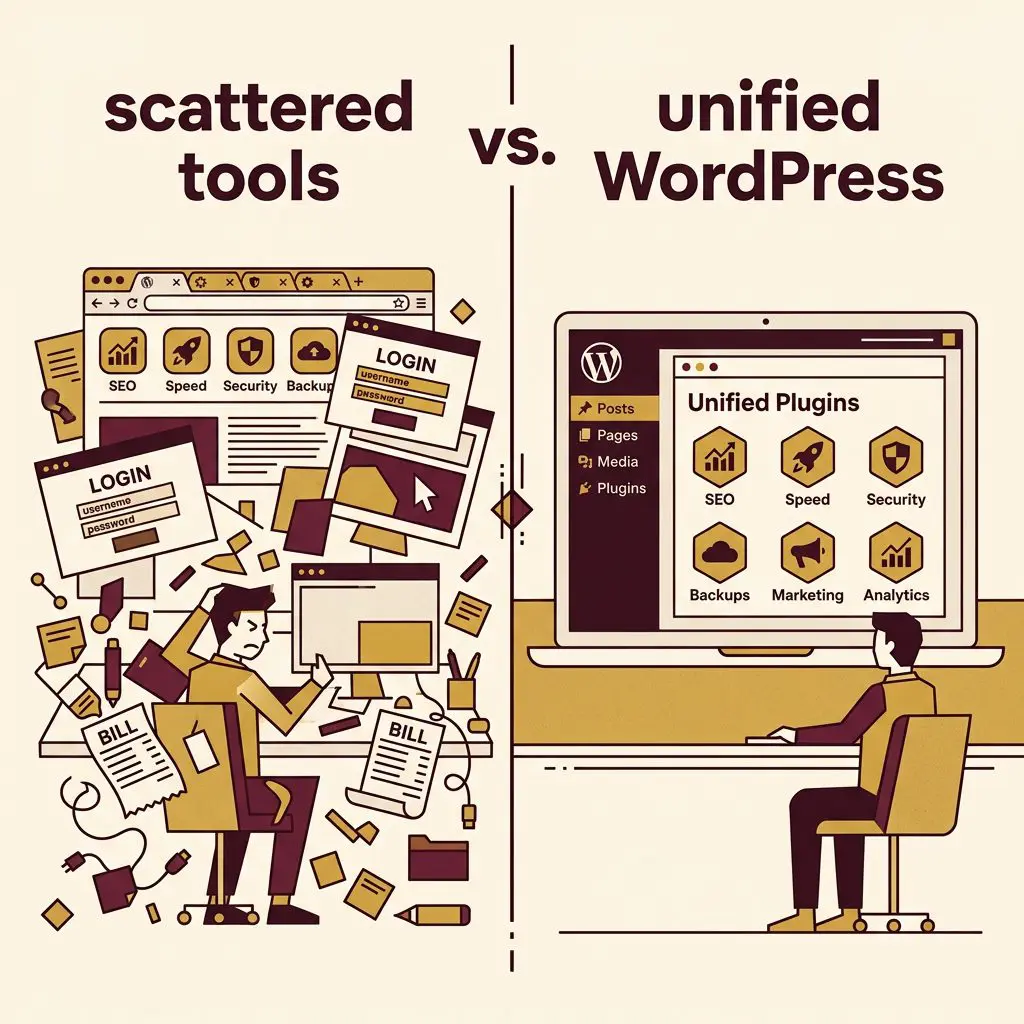
The best part? Every tool on this list is a WordPress plugin. That means it lives inside your dashboard — no jumping between platforms, no extra logins, no separate billing.

🛠️ The 7 Tools
#1 — 🌐 WordPress (Replaces Squarespace/Wix — $16–49/month)
What it does: Powers your entire author website — blog, book pages, about page, contact form, and everything else.
🔗 Get it: wordpress.org — free, open source, powers 43% of the internet
Why it’s great for authors: WordPress is completely free. It powers over 43% of the entire internet. Pair it with affordable hosting ($3–10/month) and you’ve got a website platform that’s more flexible than Squarespace, more powerful than Wix, and completely yours.
| Feature | WordPress | Squarespace | Wix |
|---|---|---|---|
| Software cost | Free | $16–49/mo | $17–36/mo |
| Design freedom | Total | Limited | Limited |
| Owns your data | ✅ | ❌ | ❌ |
| Custom plugins | 60,000+ | ❌ | Limited |
| E-commerce | ✅ (WooCommerce) | ✅ | ✅ |
The key difference: With Squarespace or Wix, you’re renting. With WordPress, you own. Your content, your design, your data — it’s all yours. If you want to move hosts, switch themes, or add features, nobody can stop you.
When to upgrade: You already own the whole system. Add plugins as needed — but the foundation is yours from day one.
💡 MIAS subscribers get this handled for you. We set up, manage, and maintain your WordPress installation so you can focus on writing. Your site comes pre-configured with a professional author theme, security, backups, and performance optimization — all included in your plan.
#2 — 📧 Mail Mint Free (Replaces ConvertKit/Mailchimp — $25–50+/month)
What it does: Email marketing — build your list, send newsletters, create automated welcome sequences, and segment your readers.
🔗 Get it: wordpress.org/plugins/mail-mint — free WordPress email marketing plugin
Why it’s great for authors: Mail Mint’s free plan gives you solid email marketing tools right inside your WordPress dashboard. No separate platform, no extra login. You can:
- Build and manage your subscriber list
- Create beautiful email campaigns
- Set up signup forms on any page
- Send broadcast newsletters to your readers
The real power is that it integrates directly with your WordPress content. When you publish a new blog post, your email list can know about it without you copying and pasting between platforms.
| Feature | Mail Mint Free | ConvertKit Free | Mailchimp Free |
|---|---|---|---|
| Subscribers | Unlimited | 10,000 | 500 |
| Email campaigns | ✅ | ✅ | ✅ |
| Lives in WordPress | ✅ | ❌ | ❌ |
| Signup forms | ✅ | ✅ | ✅ |
| Your data, your server | ✅ | ❌ | ❌ |
When to upgrade: When you need advanced automations — like “if they buy Book 1, wait 3 days, pitch Book 2” sequences. That’s when the pro features pay for themselves.
💡 Every MIAS site ships with Mail Mint installed and ready to collect signups. If you want the advanced side, automated welcome sequences, segmentation and campaigns that run themselves, we offer that as an add-on, set up and managed for you.
#3 — 🚀 WPFunnels Free (Replaces ClickFunnels — $97+/month)
What it does: Build sales funnels, landing pages, and lead generation flows with a visual drag-and-drop canvas.
🔗 Get it: wordpress.org/plugins/wpfunnels — free visual funnel builder for WordPress
Why it’s great for authors: ClickFunnels costs $97/month minimum. WPFunnels gives you a visual funnel builder — for free — right inside WordPress. You can create:
- Sales funnels for your books (landing page → checkout → thank you)
- Lead generation funnels with opt-in forms to capture emails
- Order bumps at checkout (“Add the audiobook for $4.99?”)
- One-click upsells after purchase (“Readers who bought Book 1 also loved Book 2”)
The free version gives you up to 3 funnels with WooCommerce integration, customizable checkout forms, and pre-made templates to get started fast.
| Feature | WPFunnels Free | ClickFunnels Basic | Leadpages |
|---|---|---|---|
| Monthly cost | Free | $97/mo | $37/mo |
| Funnels included | 3 | Unlimited | Unlimited |
| Order bumps | ✅ (1) | ✅ | ❌ |
| One-click upsell | ✅ (1) | ✅ | ❌ |
| Works with WordPress | ✅ | ❌ | Limited |
When to upgrade: When you’re selling multiple books and need unlimited funnels, A/B testing, and advanced automation workflows.
💡 MIAS subscribers on the Published Author plan get WPFunnels Pro included. Unlimited funnels, advanced upsell/downsell flows, and A/B testing — everything you need to turn your website into a sales machine.
#4 — 🎨 Kadence Blocks Free (Replaces Elementor Pro — $59+/year)
What it does: Gives you 20+ advanced design blocks for the WordPress Gutenberg editor — rows, tabs, accordions, icon lists, testimonials, and more.
🔗 Get it: wordpress.org/plugins/kadence-blocks — 20+ pro-level design blocks, free
Why it’s great for authors: Most WordPress themes give you basic blocks. Kadence Blocks gives you the design tools that page builders like Elementor charge premium prices for — but it works natively with the WordPress editor. No bloat, no slowdown.
You can build:
- Professional book pages with custom layouts, image galleries, and testimonial sections
- Landing pages with countdown timers, icon lists, and call-to-action buttons
- Blog layouts with advanced typography and spacing controls
- Review sections with star ratings and testimonial carousels
The free version includes the Row Layout, Advanced Text, Icon List, Testimonials, Tabs, Accordion, and more. These aren’t basic blocks — they’re full design components.
When to upgrade: The Pro version ($79/year) adds advanced animations, custom fonts, and dynamic content. But for building beautiful book pages and author sites? The free version handles it.
💡 MIAS templates are built with the Kadence Pro ecosystem. Our subscribers get pre-designed, genre-specific templates powered by the full Kadence Pro theme and blocks — layouts that would take weeks to build from scratch.
#5 — 📱 Bit Social Free (Replaces Buffer/Hootsuite — $15–99/month)
What it does: Automatically posts your WordPress content to social media and lets you schedule posts across multiple platforms.
🔗 Get it: wordpress.org/plugins/bit-social — social media auto-poster and scheduler
Why it’s great for authors: Every time you publish a blog post or update your site, Bit Social can automatically share it to your connected social accounts. No copying links, no switching tabs, no forgetting to post.
The free version connects to Facebook and LinkedIn with:
- Unlimited auto-posting
- Unlimited scheduling
- Smart tags that pull your post title, link, and featured image automatically
- Activity logs so you can see what was shared and when
- “Share Now” for instant publishing without creating a full post
| Feature | Bit Social Free | Buffer Free | Hootsuite Free |
|---|---|---|---|
| Monthly cost | Free | Free | Free |
| Connected accounts | Unlimited | 3 | 2 |
| Auto-posting from WP | ✅ | ❌ | ❌ |
| Scheduling | ✅ | Limited | Limited |
| Lives in WordPress | ✅ | ❌ | ❌ |
When to upgrade: When you need to post to Instagram, Twitter/X, Pinterest, TikTok, Bluesky, and more. The Pro version unlocks all 13 platforms plus AI-powered caption generation.
💡 MIAS subscribers on the Inspired Writer plan and above get Bit Social Pro included. That means all 13 social platforms, AI captions via ChatGPT, a visual calendar, and automatic WooCommerce product sharing — your entire social media workflow automated from one dashboard.
#6 — 📊 Independent Analytics Free (Replaces Google Analytics — $0 but complicated)
What it does: Tracks who visits your website, where they come from, and what pages they read — with a clean, simple dashboard inside WordPress.
🔗 Get it: wordpress.org/plugins/independent-analytics — privacy-friendly WordPress analytics
Why it’s great for authors: Google Analytics is free too, but it’s… complicated. GA4’s learning curve is steep, the interface is confusing, and it sends all your visitor data to Google. Independent Analytics takes a different approach:
- Beautiful dashboard right in your WordPress admin — no separate login
- Zero cookies — fully GDPR/CCPA compliant out of the box
- No external servers — your data stays on YOUR server
- Instant setup — install, activate, done. No tracking codes, no configuration
What you get for free:
- Views, visitors, sessions, bounce rate, session duration
- Top pages and posts report
- Traffic sources (referrers)
- Geographic data with interactive world map
- Device, browser, and OS breakdown
- CSV and PDF exports
- Saved custom reports
| Feature | Independent Analytics Free | Google Analytics | Fathom |
|---|---|---|---|
| Monthly cost | Free | Free | $14/mo |
| Setup time | 30 seconds | 15–30 minutes | 5 minutes |
| Dashboard in WordPress | ✅ | ❌ | ❌ |
| Privacy-friendly (no cookies) | ✅ | ❌ | ✅ |
| Your server, your data | ✅ | ❌ | ❌ |
When to upgrade: The Pro version adds real-time analytics, click tracking, eCommerce sales tracking (works with WooCommerce and SureCart), user journeys, and HTML email reports. Worth it when you’re selling books directly.
💡 Every MIAS site comes with Independent Analytics pre-installed. No setup required — your traffic data starts collecting the moment your site goes live.
#7 — 📝 Forminator Free (Replaces Typeform/JotForm — $25–83/month)
What it does: Build forms, quizzes, polls, and calculations — with drag-and-drop simplicity and free payment processing.
🔗 Get it: wordpress.org/plugins/forminator — forms, quizzes, polls + free payments
Why it’s great for authors: Authors need forms more than they realize. Contact forms, reader surveys, beta reader applications, event RSVPs, quiz lead magnets — Forminator handles all of it for free. And unlike most form builders, the free version includes:
- Unlimited forms — no artificial caps
- Payment processing — Stripe and PayPal integration, free (Typeform charges $25/month for this)
- Quizzes — create BuzzFeed-style personality quizzes (“Which book genre should you write next?”) or knowledge quizzes
- Polls — real-time reader polls for engagement
- Calculations — build pricing calculators or service estimators
- Advanced fields — file uploads, date pickers, pagination, hidden fields, GDPR opt-ins
| Feature | Forminator Free | Typeform Free | JotForm Free |
|---|---|---|---|
| Forms | Unlimited | 1 (10 questions) | 5 |
| Payments | ✅ (Stripe + PayPal) | ❌ ($25/mo+) | ✅ (100/mo) |
| Quizzes | ✅ | ❌ | ❌ |
| File uploads | ✅ | ❌ | ✅ |
| Lives in WordPress | ✅ | ❌ | ❌ |
When to upgrade: The Pro version adds premium integrations, e-signatures, and advanced reporting. But the free version is honestly more capable than most paid form builders.
💡 MIAS subscribers can access Forminator Pro features for advanced integrations, e-signatures, and premium templates — all managed within your author website dashboard.
💡 The Bottom Line — Start Free, Upgrade When It Makes Sense
Here’s the cheat sheet:
| Tool | What It Replaces | Saves You | MIAS Subscribers Get |
|---|---|---|---|
| WordPress | Squarespace / Wix | $16–49/mo | Fully managed hosting |
| Mail Mint | ConvertKit / Mailchimp | $25–50/mo | Pro version included |
| WPFunnels | ClickFunnels / Leadpages | $37–97/mo | Pro version included |
| Kadence Blocks | Elementor Pro | $59/yr | Pro theme + blocks |
| Bit Social | Buffer / Hootsuite | $15–99/mo | Pro version included |
| Independent Analytics | Google Analytics / Fathom | Complexity | Pre-installed |
| Forminator | Typeform / JotForm | $25–83/mo | Pro features available |
Total potential savings: $150–400+ per month.
The pattern is simple: start free, learn the tool, and only upgrade when the free version is genuinely limiting your growth. Not when a marketing email tells you to. Not when you see a competitor using the pro version. Only when YOU need more.
And if you want all the pro versions of these tools pre-installed, configured, and maintained for you — that’s exactly what an MIAS subscription gives you.
📋 Here’s What We Covered
- ✅ You don’t need a $500/month tech stack — free WordPress tools cover 90% of the job
- ✅ WordPress is the foundation — you own everything
- ✅ Mail Mint gives you email marketing inside your dashboard
- ✅ WPFunnels builds sales funnels that convert readers to buyers
- ✅ Kadence Blocks gives you professional design tools for free
- ✅ Bit Social automates your social media posting
- ✅ Independent Analytics shows your traffic data without the Google headache
- ✅ Forminator handles forms, quizzes, and payments — all free
The biggest takeaway? Every tool on this list is a WordPress plugin. They all live in one dashboard. And if you’re an MIAS subscriber, most of them are already set up and ready to go.
❓ FAQ
Are free WordPress plugins really good enough for a professional author website?
100%. Every plugin on this list has thousands of active installations, regular updates, and proven track records. The free versions aren’t demos — they’re fully functional products. The paid tiers add convenience features and advanced workflows, not core functionality.
What’s the one tool I should set up first?
Your email marketing (Mail Mint or similar). Your email list is the single most valuable marketing asset you’ll build as an author. Social media algorithms change, search rankings shift — but your email list is yours forever. Check out our complete email marketing guide for the full setup.
What about standalone tools like Canva or Google Analytics?
They’re great too — and we use some of them ourselves. But the advantage of WordPress-native tools is integration. When your email platform, analytics, social scheduling, and sales funnels all live in the same dashboard, everything talks to each other. That’s fewer tabs, fewer logins, and fewer things that can break.
Can I use these tools if I’m not on MIAS?
Absolutely. Every tool on this list works on any WordPress site. MIAS subscribers just get the pro versions pre-installed and maintained — but the free versions work great on their own.
Want all of these tools — plus the pro versions — pre-installed and managed for you? Browse our plans and pricing and let us handle the tech so you can focus on writing. ✍️